The Best Hair Loss Progress Photo App for iPhone (2026)
Updated · By Brian, who makes Then & Now
Hair loss is hard to see in a mirror, because it happens a few hairs at a time and you look every day. Treatments like minoxidil and finasteride are slow in the other direction: they take months to show, and it's easy to give up in month three because nothing seems to be happening. Photos are how you find out, but only if they're taken the same way. Wet hair, a fresh haircut or a different bathroom light can show more scalp than six months of change.
So the first job of any hair loss app is to get you the same photo of your hairline and crown every time. I compared six iPhone apps on how they line up a shot, whether they score your hair, what else they track, where your photos go and what they cost.
Full disclosure: I make Then & Now.
Quick answer
It depends on whether you want photos or scores. For photos that line up, free and private, Then & Now: Ghost mode lays last month's photo over the camera so your hairline and crown line up, and nothing leaves your iPhone. For an AI density score, a Norwood estimate and reports for your clinic, Trichometrics. For a ghost overlay and a Norwood estimate in one app, Folik. To keep track of every dose, TrackHair.
- Then & Now: best for free, private photos that line up.
- Trichometrics: best for AI density scores and reports for your clinic.
- Folik: best for a ghost overlay plus Norwood staging.
- TrackHair: best for keeping track of every treatment and dose.
- Hair Snap: the most-rated AI hair scanner.
- Shea: best for growing Type 3 and Type 4 natural hair.
| App | Best for | Lining up your photos | Main tradeoff | Price (US) |
|---|---|---|---|---|
| Then & Now | Free, private photos that line up | Ghost overlay of your last photo | No AI scores or dose reminders | Free (99 photos a week), or from $4.99 a month |
| Trichometrics | AI scores and clinic reports | Guided camera with automatic capture | Your analyses are on its website too | Free, Premium $3.99 a month or $39.99 a year |
| Folik | Norwood staging | Ghost overlay, 5 guided angles | Very new, few ratings | Free Norwood calculator, Pro from $7.99 a week |
| TrackHair | Treatment schedules | Photos sorted by angle | No overlay in its listing | Free, Pro from $1.99 a week |
| Hair Snap | An AI hair rating | Not in its listing | Results need a subscription | Subscriptions from $3.99 |
| Shea | Natural hair length | Monthly photos, side by side | Made for one hair type | Free, Premium $39.99 once |
How I compared the apps
I looked for iPhone apps that keep dated photos of your hair, or score it from photos, and are still being updated. Hairly, which some roundups still recommend, hasn't been updated since November 2023, so it didn't make the list. I also left out apps with no US ratings yet, and hairstyle try-on apps, which are a different thing.
I judged each app on how it helps you take a matching photo, how you compare photos, whether it scores your hair, what else it tracks and where your photos go. I know Then & Now best because I make it. Everything about the other five comes from its App Store listing, in-app purchase list, App Privacy label and US ratings as of October 24, 2026. Most of these apps are new and have only a few ratings, so I've given the counts. If something here is out of date, tell me and I'll fix it.
Best hair loss tracker apps
1. Then & Now (best for free, private photos that line up)
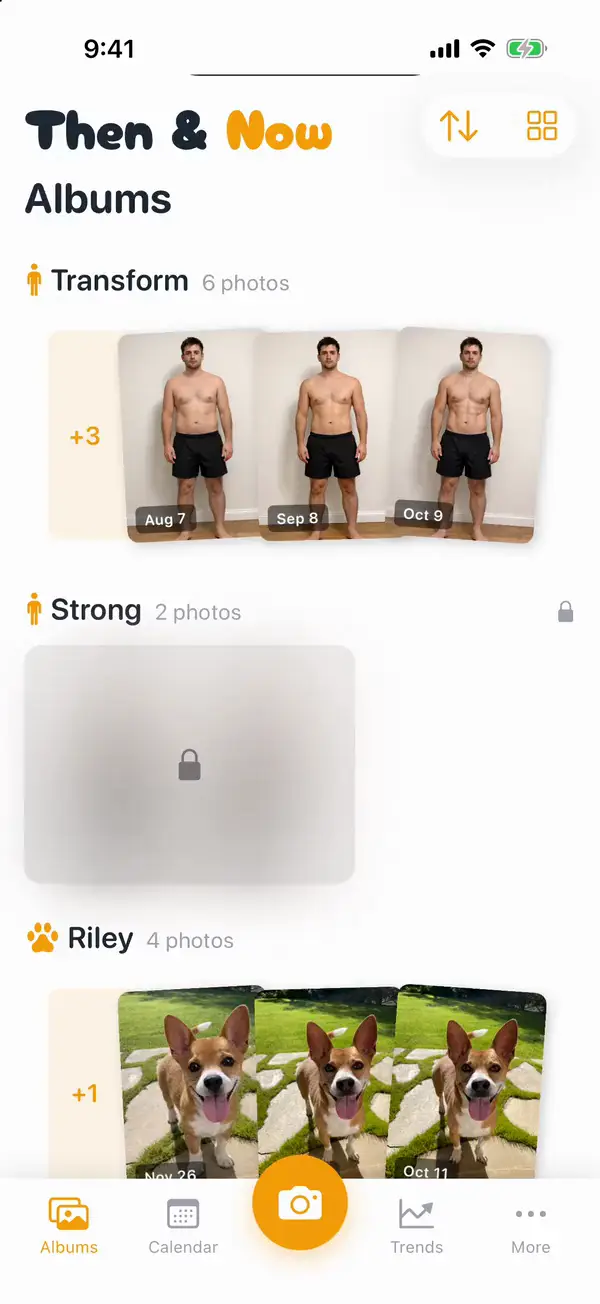
Then & Now doesn't know anything about hair, and that's partly the point: it's built to take the same photo every time. Make one album per angle, say "Hairline", "Crown" and "Part", so each has its own ghost. A Selfie album opens on the front camera for your hairline; a Custom album on the back camera suits the crown. Ghost mode lays last time's photo faintly over the camera, and you match it before you take the shot.
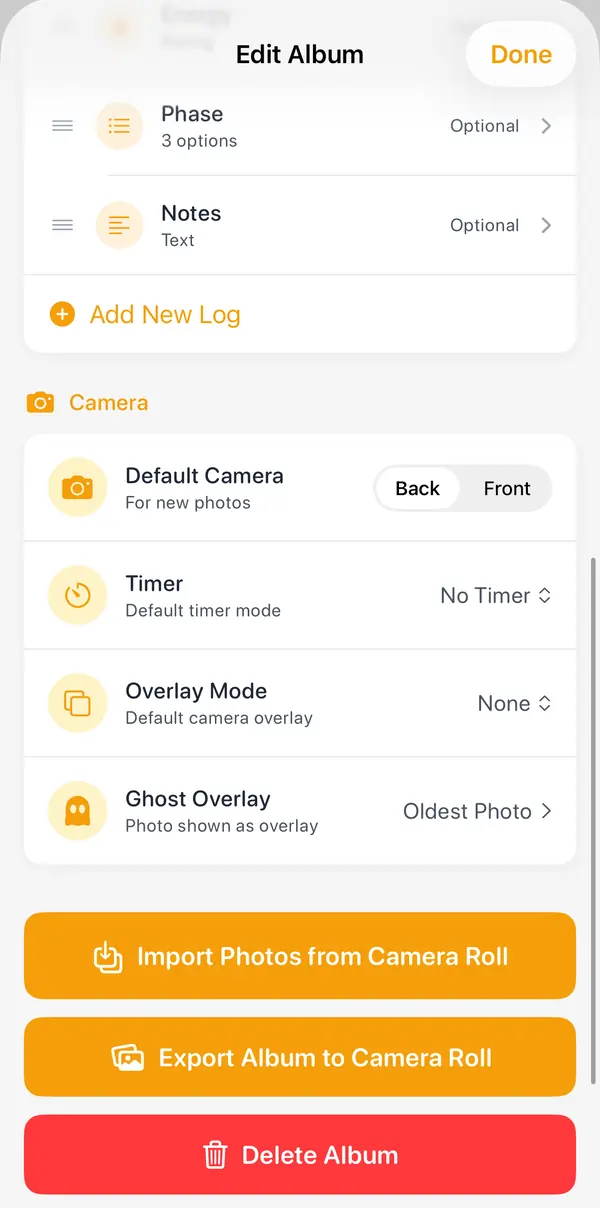
The crown is the hard one to photograph yourself. Hold the phone above your head with the 3 or 10 second timer, or prop it up and say "Now" from where you're standing. Say "Redo" if it's off.
Add what you want to log beside each photo: a 1 to 5 rating for shedding, a pick-list for the treatment you're on, or a note for side effects or the day you had a haircut. Trends charts the ratings over time. Set the album to compare against 3 or 6 months ago by default, because hair takes that long, and use the slider to wipe from then to now across your hairline.
- Pros: the free version has every feature, with up to 99 new photos a week. No account, no servers, no analytics and no ads, with Apple's "Data Not Collected" label. Private albums lock with Face ID, and photos are saved without their location. Exports have a blur you can drag over your face before you share one.
- Cons: no AI analysis, density score or Norwood estimate: it shows you the photos and leaves the judging to you. No treatment schedule, and one reminder schedule for the whole app. iPhone only, in English.
Price: Free, with every feature and up to 99 new photos a week (exports carry a small logo). Premium is $4.99 a month, $29.99 a year with 7 days free, or $99.99 once. Needs iOS 17 or later. Rated 5.0 from 18 US ratings.
2. Trichometrics (best for AI scores and clinic reports)
Trichometrics: Hair Loss AI gives you AI-generated scores from 0 to 100 for density, thickness, scalp coverage and thinning, and Norwood or Ludwig stage estimates. Its guided camera lines up front, top and side photos and takes the shot automatically when you're aligned. It also has density maps, a treatment tracker, a hair transplant candidacy check and post-op recovery tracking.
- Pros: the most detailed analysis here, and PDF reports to share with your clinic. Free to download and use, in its listing's words.
- Cons: its listing says you can view "your analyses, reports and history at trichometrics.com from any device", so your hair data isn't only on your phone, and its App Privacy label is "Data Linked to You". The visual inspector, full history, trends and PDF export need Premium. Only 1 US rating so far.
Price: Free, with Premium listed at $3.99 a month or $39.99 a year, and a $2.99 one-time transplant candidacy check. Needs iOS 16.4 or later.
3. Folik (best for Norwood staging with a ghost overlay)
Folik: Hair Loss Tracker combines the two things most hair loss apps do separately. Its "calibrated photo journal" has "5-angle guided capture with ghost overlay alignment" and a side-by-side comparison slider, and it estimates your Norwood or Ludwig stage from photos. There's also a treatment tracker for minoxidil, finasteride, dutasteride and microneedling, and an AI coach that, its listing says, cites published studies.
- Pros: a free Norwood calculator with no sign-up. A ghost overlay, like Then & Now's. Its App Privacy label is "Data Not Linked to You".
- Cons: the AI coach's interpretation needs Pro. Brand new, with 4 US ratings.
Price: Free to download, with Pro listed at $7.99 a week or $39.99 a year. Needs iOS 17 or later.
4. TrackHair (best for treatment schedules)
Track Hair - Hair Loss Tracker is the one to pick if keeping up with treatments is the hard part. It builds a schedule for medications, microneedling, low-level laser therapy, PRP, shampoos and supplements, with "every X days" options and a daily checklist. Photos are sorted by angle (front, top, crown and side), and a journal logs side effects, mood, shedding and growth.
- Pros: the best treatment tracking here. Its listing says data is stored on your device and, if you turn it on, in iCloud. Its label is "Data Not Linked to You". Updated October 22, 2026.
- Cons: its listing doesn't mention a ghost overlay or a slider, so comparing means scrolling back. Pro features aren't spelled out. Rated 3.7 from 3 US ratings.
Price: Free to download, with Pro listed from $1.99 a week to $39.99 for lifetime. Needs iOS 18.6 or later.
5. Hair Snap (the most-rated AI hair scanner)
Hair Snap Health & Style Scan has far more ratings than any other app here. It rates your hair's density, texture and volume from a photo, looks for signs of a receding hairline, and suggests a routine based on your goals.
- Pros: by far the most-used app here, with scores you can track over time. Rated 4.7 from 9,159 US ratings.
- Cons: its listing says "analysis results require a subscription" and "additional scans require an additional purchase". No photo alignment in its listing. Its App Privacy label includes "Data Used to Track You". Last updated March 2026.
Price: Free to download, with subscriptions listed from $3.99 to $49.99 a year. Needs iOS 16.6 or later.
6. Shea (best for natural hair growth)
Shea: Hair Growth & Community isn't about hair loss: it's for growing natural hair, and it's made for Black women with Type 3 and Type 4 hair. Its hair growth tracker has monthly progress photos, side-by-side then-and-now comparisons and length measurements, alongside wash day routines, a product scanner and a community.
- Pros: built for a specific kind of hair, with a one-time Premium. "Blur faces in your progress photos with one tap." Rated 4.9 from 359 US ratings.
- Cons: made for one hair type, so it's not much help for a receding hairline. Its App Privacy label includes data linked to you.
Price: Free to download. Premium is $39.99 once, $9.99 a month or $79.99 a year, according to its listing. Needs iOS 15.5 or later.
Also worth a look
MyHairCounts counts actual hairs per square inch, but only with an imaging device your hairdresser uses during an appointment. If your stylist has one, it's the most precise measurement here.
How to take hair loss progress photos that match
Hair photos are easy to get wrong in ways that look like change. More scalp shows when your hair is wet, freshly cut, parted differently or under a bright overhead light. Keep all of that the same:
- Dry hair, no product, at the same point in your routine, like before washing or a day after.
- The same light. Overhead light shows the most scalp. Pick one spot and always use it, with the same lights on.
- The same parting and the same angles. Hairline from the front with your hair pushed back, temples from each side, and the crown from above.
- Note your haircuts. A shorter cut shows more scalp. Log the date so a sudden "change" has an explanation.
- Monthly, and compare over three to six months. Treatments take that long to show. Week-to-week photos mostly show noise.
The same habits work for body photos. The longer version is in How to Take Progress Pictures by Yourself.
Takeaway
There isn't one best hair loss app: it depends on whether you want photos, scores or a treatment log. Whichever you pick, it has to get you the same photo of the same spot every month, so the only thing that changes is your hair. Then & Now is the strongest fit for free, private photos that line up, with a slider to compare them. Trichometrics is the pick for AI scores and reports for your clinic, Folik for a Norwood stage with a ghost overlay, and TrackHair if remembering every dose is the hard part.
Tracking your skin as well? I've compared skin progress photo apps too. For any subject, see the best before and after photo app, and for where your photos actually go, Private progress photo apps.
Checked October 24, 2026. Prices are US and can change; the App Store shows yours.
Frequently asked questions
What is the best hair loss tracker app?
It depends on what you want to track. Trichometrics gives AI density scores, Norwood estimates and PDF reports for your clinic. Folik combines a ghost overlay with a Norwood estimate. TrackHair is best for treatment schedules. Then & Now is best for free, private photos that line up.
What is the best app to take hair loss progress photos?
For photos you can compare, Then & Now: Ghost mode lines up each photo of your hairline or crown with the last, and the slider shows the change, free and with nothing leaving your iPhone. Folik also has a ghost overlay, and Trichometrics' camera takes the photo automatically when you're lined up.
How often should I take hair loss progress photos?
Once a month is enough for most people, in the same light, with dry hair. Minoxidil and finasteride usually take several months to show results, so compare against three to six months ago, not last week.
Can an app tell my Norwood stage?
Trichometrics and Folik estimate Norwood stages for men and Ludwig stages for women from your photos, and Folik has a free Norwood calculator. Both say they're not medical devices. A dermatologist can tell you for certain, and photos from an app are useful to bring.
How do I photograph my own crown?
Hold your iPhone above your head with the back camera and a 3 or 10 second timer, or prop it up and use a voice timer. In Then & Now, Ghost mode shows last month's crown photo over the camera so you can match the angle. Or ask someone to take it the same way every month.
Are hair loss tracker apps private?
It varies. Then & Now carries Apple's "Data Not Collected" label. Folik and TrackHair say their data isn't linked to you. Trichometrics keeps your analyses on its website as well as your phone, and Hair Snap's label includes data used to track you. Check the App Privacy section on each app's App Store page.