Then & Now for plants
Watch yourgarden grow
A plant changes a little every day, and you'll never see it standing there. A Plants album photographs it from the same spot each time and plays the season back as a timelapse.
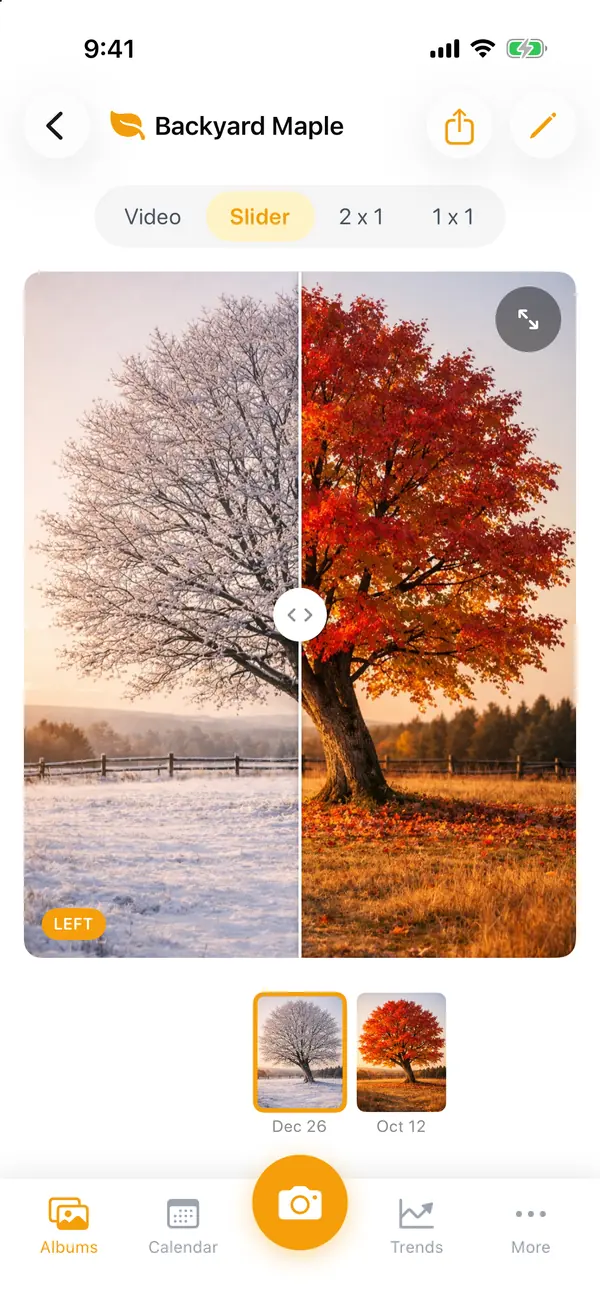



The same spot, every time. Ghost mode lays your last photo over the camera, so the pot, the bed or the tree lines up from week to week.
Health at a glance. Rate each photo 1 to 5, add a height or a note, and Trends shows how it's doing over the season.
A season in seconds. Play the album as a timelapse, from 1 to 0.15 seconds a photo, or slide from the first leaf to now.
A nudge when it's time. Set a daily, weekly or monthly reminder, so the photos keep coming.
Start your first album
- 1
On Albums, scroll to the end and tap "New Album", then "Plants".
- 2
Name it and tap "Create". One album per plant or bed keeps each ghost lined up.
- 3
Pick a spot you can stand in again, with even light, and take the first photo.
- 4
Next time, turn on Ghost mode and line up with the last photo.
- 5
Set a weekly reminder under Calendar → the bell.
Also made for
Small changes add up.Now you can see them.
Every transformation starts with Day 1.
- Locked with Face ID
- No account needed
- Never on our servers

Scan with your iPhone's camera to get Then & Now.
Free to start on iPhone