Change a measurement on an older photo
Fix a typo or add a number you forgot, on any photo in the album.
Written for Then & Now 2.4.
- 1
Open the album and tap "1 x 1" at the top.
- 2
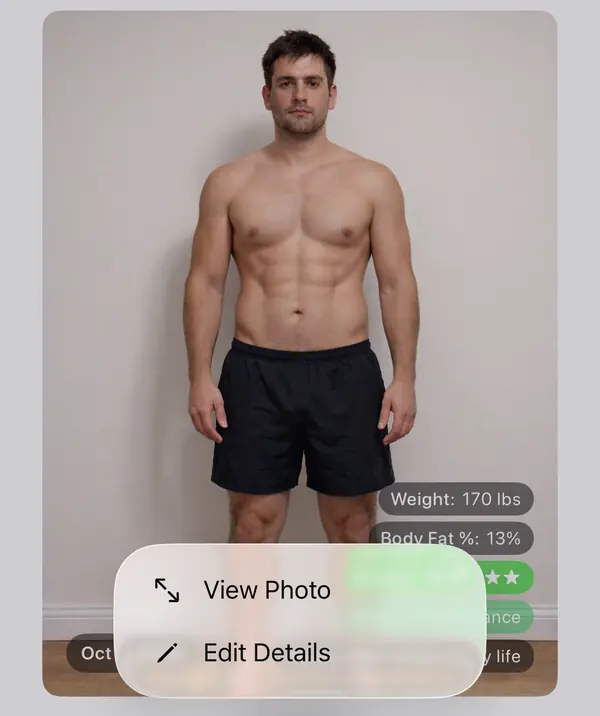
Find the photo in the strip below, touch and hold it, then tap "Edit Details".
- 3
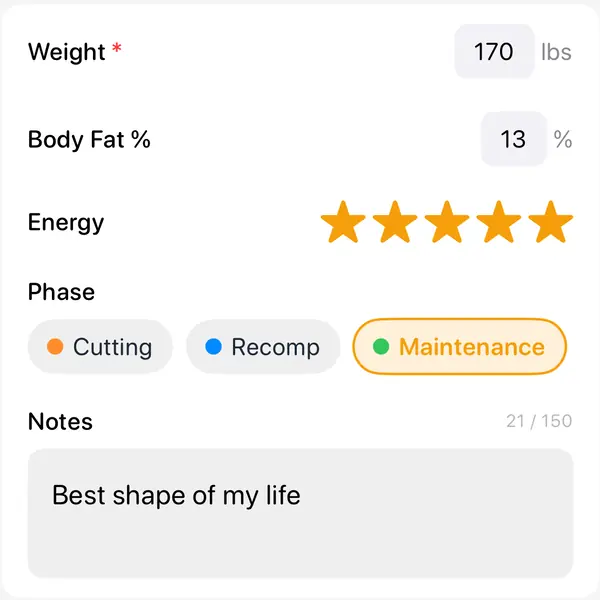
Under "DATA", change the value. Clear it to remove it.
- 4
Tap "Save".
Good to know
- You can fix the date the photo was taken on the same screen.
- Moving a photo to another album clears its measurements.
- Values from Apple Health are changed in the Health app.
More guides
- Line up every photo with Ghost modeA faint copy of an earlier photo, or a body outline, sits over the camera so every shot lines up.
- Add measurements to your photosRecord your weight, a rating or anything else with every photo, and see it on Trends.
- Export a comparisonMake a side-by-side picture, a slider photo or video, or a timelapse, with dates and your numbers on it.
- Back up, sync and move to a new iPhoneWhere your photos live, how iCloud Sync works, and how to copy everything to Photos.
- Redeem a code and check your planUse a promo or gift code, see which plan you have, and restore a purchase.