The most useful year-end review I know takes about an hour and has one rule: look at every goal you set this year and decide what happens to it next. Done, keep going, change it, or let it go. Then, and only then, pick next year's goals.
Most people skip straight to new resolutions. That's how the same three end up on the list every January, without anyone asking why they didn't stick the first time.
Full disclosure: I make Resolutely, one of the four tools below. The others are free or have a free version, and I say where each one does better than mine.
Quick answer
To review your year, go goal by goal. Mark each one done, keep going, change or let go, and write one line on what worked and one on what got in the way. Then choose two or three goals for next year and write down the first step of each. For the tool: YearCompass is a free printable booklet for doing it in one sitting, Day One is a journal with prompts if you'd rather write it out, Notion lets you build your own review page, and Resolutely keeps each goal's year, reflections and status in one place on iPhone and carries the unfinished ones into next year.
| Tool | Best for | Built for a year review | Free | Paid | Platforms |
|---|---|---|---|---|---|
| Resolutely (my app) | Reviewing goals you tracked all year, and carrying them over | Yes: a year menu, each goal's reflections, and "Extend into" next year | Every feature | Optional tips | iPhone |
| YearCompass | One sitting with a pen | Yes: the whole booklet is a review and a plan | Free | — | Print or PDF |
| Day One | Writing it out as a journal entry | No year review, but prompts and templates | Unlimited entries | Silver $49.99/yr, Gold $74.99/yr | iPhone, iPad, Mac, Apple Watch, Android, web |
| Notion | Building your own review page | Community templates, not Notion's own | Free plan | Plus $10/seat/mo | Web, desktop and mobile apps |
How to Do a Year-End Review in About an Hour
1. List every goal you set this year (10 minutes)
All of them, including the ones you dropped in February. Those are the most useful ones to look at. If you tracked them in an app, open it to this year. If you didn't, your January notes, your calendar and your photos will jog your memory.
2. Sort each goal four ways (20 minutes)
| It's… | What it means | What to do next year |
|---|---|---|
| Done | You did it | Celebrate it. Write down what made it work. |
| Keep going | Still worth it, and it was moving | Carry it into next year with a new end date. |
| Change it | Still worth it, but the plan didn't work | Make it smaller, or turn it from a habit into steps (or the other way round). |
| Let go | You've outgrown it, or it was never yours | Drop it on purpose, with a sentence on why. |
The last one matters more than it looks. A goal you never officially drop sits on next year's list as a quiet failure. Deciding "I've moved on from this" is a result, not a loss.
3. Answer five questions (15 minutes)
- What am I proudest of this year?
- Which goal moved most, and what was different about it?
- Which goal stalled, and when did it stop?
- What took more of my time than I expected?
- What do I want more of next year, and less of?
One line each is enough. The second question is the one to linger on: whatever made one goal work, like a fixed time of day, a friend, or a smaller first step, is the thing to copy.
4. Pick two or three goals for next year (15 minutes)
Start with the "keep going" and "change it" goals, then add at most one new one. Word each as something to start rather than something to stop: in a 2020 study of 1,066 people, 58.9% of people resolving to start something succeeded, against 47.1% of those trying to quit or avoid something. Then write down the first step of each, the one you could do in the first week of January.
If you're not sure whether a new goal should be tracked as a habit or as steps, I wrote up the difference in Goal tracker vs habit tracker.
The Tools That Help
1. Resolutely: Best If You Tracked Your Goals All Year
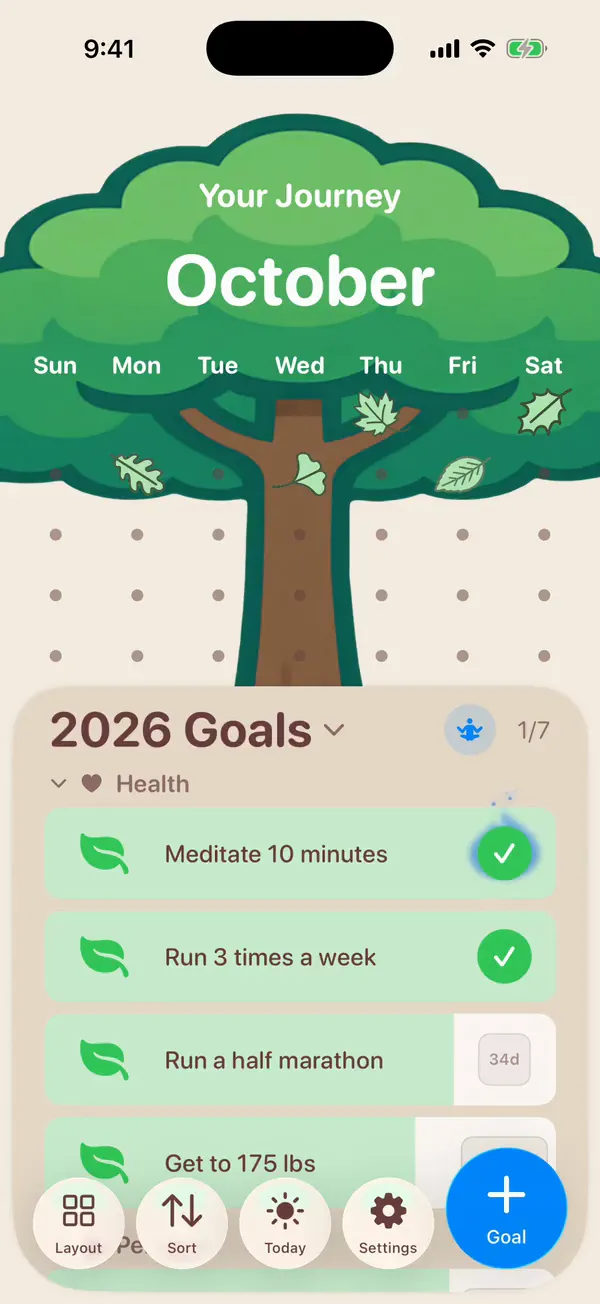
I built Resolutely after a spreadsheet turned out to work better for my goals than any habit tracker: each goal broken into smaller steps, and a few notes through the year on how it was going. A year-end review is where that pays off, because the notes are already written.
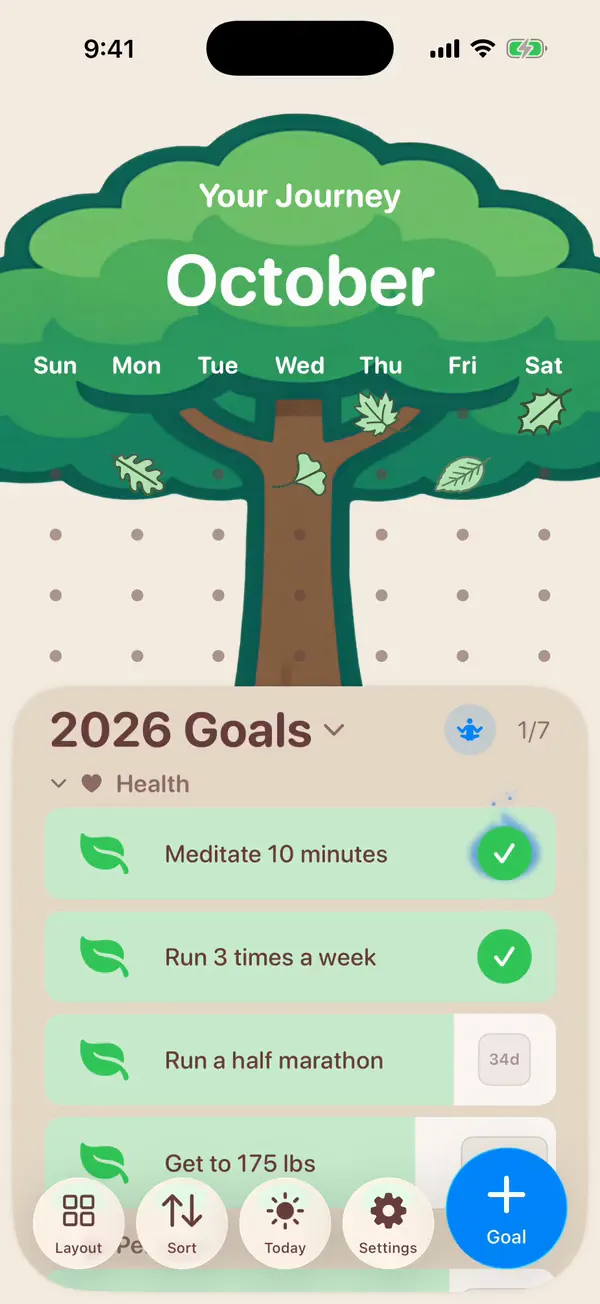
In Resolutely, each goal belongs to the year it's active in. Tap the year at the top of your goals to look back at any year, with every goal's steps, habit history and reflections where you left them. Each goal already has a status that maps onto the review above: Done!, On Track, Off Track, Not Yet and Moved On, so letting a goal go is a choice you record, not something that just happens. To carry a goal over, long-press it and choose Extend into the new year, or give it an end date next year. Goals can also run across the year from the start, like a race in March.
From December 15, Resolutely walks you through the review above in one place: for each goal, keep it, adjust it or let it go, then add the new ones for next year.
During the year, Mindful Check-in walks you through every goal you haven't reflected on that day, one card at a time, and Check-Ins in Settings can remind you daily, weekly or monthly. That's what makes December's review short.
What's free: everything. No goal limit, no ads, no account. Your goals stay on your iPhone and in your own iCloud. Tips in Settings are optional.
Where it falls short:
- iPhone only. No Android, iPad, Mac or web.
- No "year in review" questionnaire. The five questions above are ones you answer yourself, in a reflection or on paper.
- If you didn't track your goals in it this year, there's nothing to look back on yet. YearCompass is the better start for this December, and Resolutely for next year.
2. YearCompass: Best for One Sitting With a Pen
YearCompass calls itself "a free booklet that helps you reflect on the year and plan the next one." Half of it looks back and half looks ahead. It comes as a PDF in A4 or A5, to print and fill in by hand, or in a digital version.
My take: If you want to sit down once in late December and do the whole thing properly, this is the best free way to do it. It isn't an app, so nothing reminds you about next year's goals in March.
3. Day One: Best If You'd Rather Write It Out
Day One is a journaling app on iPhone, iPad, Mac, Apple Watch, Android and the web. Its free Basic plan has unlimited entries, a daily prompt, a prompt library and journal templates. I didn't find a year-in-review template on its own pages, but a single long entry with the five questions above works well, and its "On This Day" memories show what you wrote on the same date in earlier years.
Free plan: unlimited entries and journals, one photo per entry, on one device, per Day One's pricing page. Paid: Silver $49.99 a year, Gold $74.99 a year, which adds "Reflective AI summaries & prompts."
My take: The best place to write about your year. It doesn't track goals, so next year's list lives in an entry, not in something that checks in on you.
4. Notion: Best for Building Your Own Review Page
Notion is a blank workspace, so a year review can be whatever you build: a page of questions, a table of goals with a status column, a vision board. There are plenty of yearly review templates made by Notion users; I didn't find an official one in Notion's own gallery.
Free plan: yes, per Notion's pricing page. Paid: Plus is $10 a seat a month.
My take: Ideal if you already live in Notion and enjoy setting things up. If you don't, an hour of building a template is an hour not spent on the review.
Frequently Asked Questions
When should I do a year-end review?
Between Christmas and New Year's Day works for most people: the year is nearly over, and there's still time to set up January before it starts. Some people do it in the first week of January instead. What matters more is doing it before you write next year's goals.
What questions should I ask in a year-end review?
Start with what you're proudest of, which goal moved most and why, which one stalled and when, what took more time than you expected, and what you want more and less of next year. One honest line each is enough.
What should I do with goals I didn't finish?
Decide, one by one. Carry over the ones that are still worth it and were moving, change the plan for the ones that are worth it but stalled, and let go of the rest on purpose. In Resolutely that's "Extend into" next year, or marking it Moved On.
Is there an app for a year in review of my goals?
Resolutely keeps every goal's year, steps, habit history and reflections on iPhone, and carries unfinished goals into the next year, for free. I make it, so weigh that. For a one-off review without an app, YearCompass is a free printable booklet.
How many goals should I set for next year?
Two or three. Start with the goals you're carrying over, add at most one new one, and write the first step of each before January 1.
Final Verdict
For one sitting with a pen this December, YearCompass. To write it out, Day One. To build your own, Notion. And if you want next year's review to be a matter of looking back at what you already wrote, track next year's goals in Resolutely: it keeps each goal's year and reflections, and carries the unfinished ones forward, for free. For picking the app itself, I compared the best apps for New Year's resolutions.
Tools and prices checked November 23, 2026.