7 Best Progress Photo Apps in 2026
The scale lies. I've been lifting consistently for a few months now, and the number barely moved. But when I put two photos side by side from January and March? Totally different person. That's why progress photos matter more than any number on a bathroom scale.
The hard part is taking them consistently. Same angle, same lighting, same distance from the camera. I always forget, or the photo comes out slightly different and the comparison looks off.
So I tried seven progress photo apps over the past few weeks. Some were great. Some hadn't been updated since 2017. Here's what I found.
| App | Best For | Price | Platform |
|---|---|---|---|
| Then & Now | Privacy & Apple users | Free / $4.99 mo | iOS |
| Metamorph | Social sharing | Free / $4.99 mo | iOS |
| Progress | Body measurements | Free / $3.99 mo | iOS |
| Hevy | Gym-goers who lift | Free / $8.99 mo | iOS, Android, Web |
| GainFrame | AI body analysis | Free (beta) | iOS |
| Photo Progress | Android users | Free | Android |
| Shapez | Budget-friendly & cross-platform | Free / $3.99 one-time | iOS, Android |
1. Then & Now - Best for Privacy and Apple Users
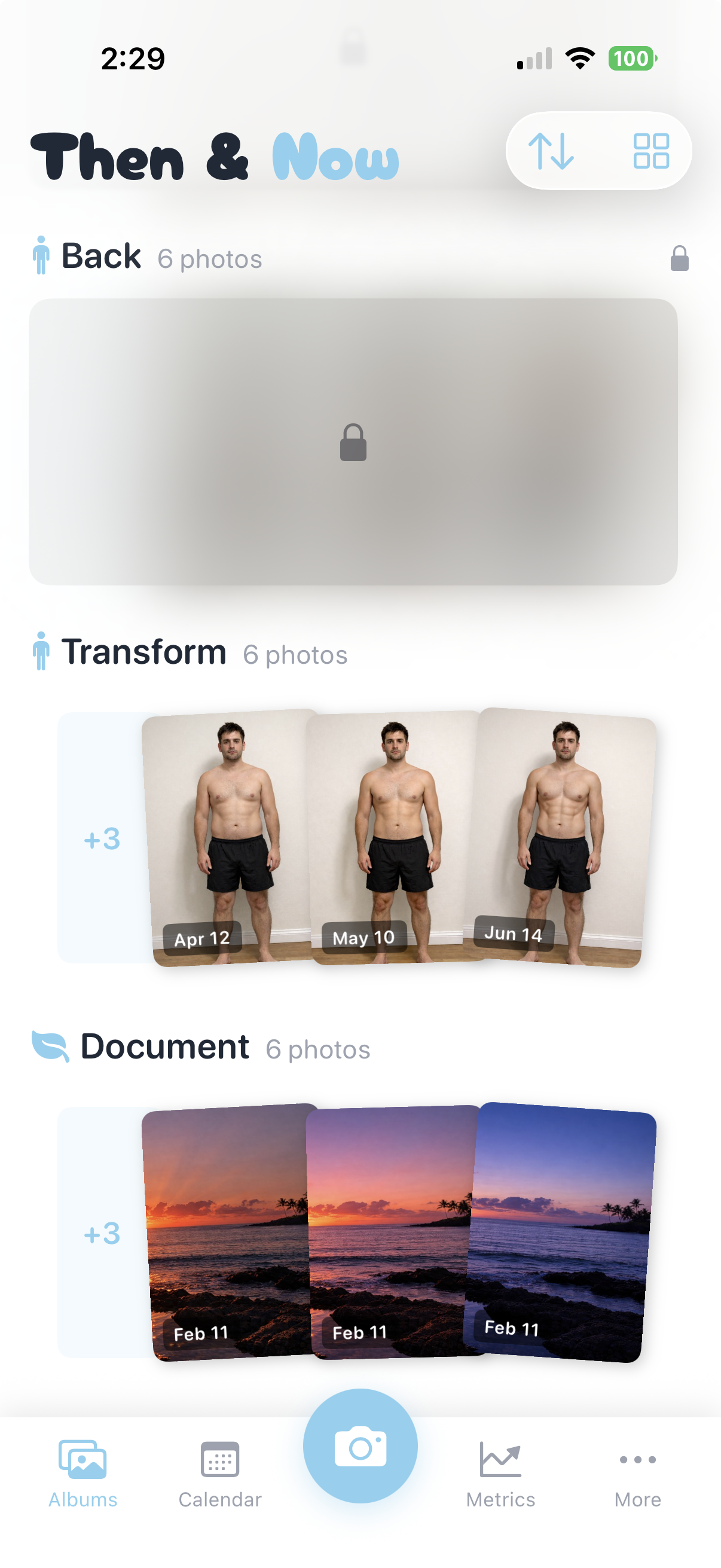
Then & Now keeps every photo on your device and syncs through iCloud. No accounts. No servers. No one sees your photos but you.
What I like about it is how it handles the consistency problem. There's a ghost overlay that shows a faded version of your last photo on screen while you take a new one, so you can line up your angle and distance. It sounds simple, but it's the difference between a useful comparison and two photos that look like they were taken in different rooms.
Key features:
- Three ways to compare: timelapse animation, slider (drag to reveal), and side-by-side
- Ghost overlay for lining up your pose
- Voice-activated timer for hands-free shots
- Face ID / Touch ID to lock your albums
- iCloud sync across Apple devices
- Weight and body measurement tracking
- Organize photos into projects (fitness, home reno, whatever you're tracking)
Pros:
- No accounts, no external servers, no ads, no tracking. Period.
- Very generous free tier. 100 photo imports per week with no ads.
- The ghost overlay solves the biggest problem with progress photos
- Three comparison modes give you options. The timelapse is fun to watch after a couple months.
Cons:
- iOS only
- Newer app, so it's still early. Worth keeping an eye on how it evolves.
Pricing: Free with a generous free tier (no ads, 100 photo imports per week). Monthly: $4.99. Annual: $29.99. Lifetime: $99.99.
My take: The ghost overlay is what sold me. I kept taking progress photos with my regular camera and they were useless for comparison because the angle was always slightly different. Then & Now fixed that on the first try. The three comparison modes are nice too. I mostly use the slider, but the timelapse is fun after a few weeks of photos stack up. Privacy-wise, it's the cleanest option here. No account, no uploads, everything stays in iCloud. For photos like these, that matters.
2. Metamorph - Best for Social Sharing
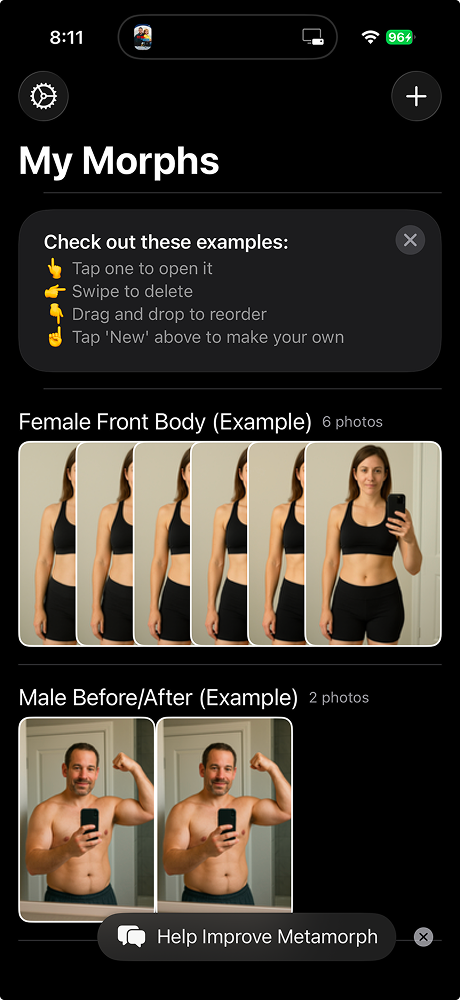
Metamorph is built for one thing: turning your progress photos into time-lapse videos and GIFs you can share. If your goal is a dramatic transformation clip for Instagram or TikTok, this is the one.
People also use it for tracking pet growth, plant progress, pregnancy, and other visual changes over time.
Key features:
- Auto-alignment overlays for consistent framing
- Time-lapse video and GIF export
- Before-and-after video creation for social sharing
- Daily or weekly photo reminders
- Photos stay on-device and in iCloud
Pros:
- The time-lapse creation is the best I've seen in any progress photo app
- Privacy-first, like Then & Now. Nothing gets uploaded.
- Gets regular updates (last one was January 2026)
Cons:
- Some users report the app freezing after iOS updates
- The $100 lifetime price is steep for a single-purpose app
- The free tier has gotten more restrictive recently. It used to include one free album.
- A few reviews mention watermarks appearing on the paid version
Pricing: Free tier available. Monthly: $4.99. Annual: $29.99. Lifetime: $99.99.
My take: If you want to post a transformation video, Metamorph does that better than anything else on this list. The auto-alignment keeps your framing tight across sessions. But it's more limited than Then & Now if you just want to compare two photos side by side. There's no slider view or static comparison. It's video-first, and if that's not your thing, you'll find it lacking.
3. Progress Body Tracker - Best for Tracking Measurements
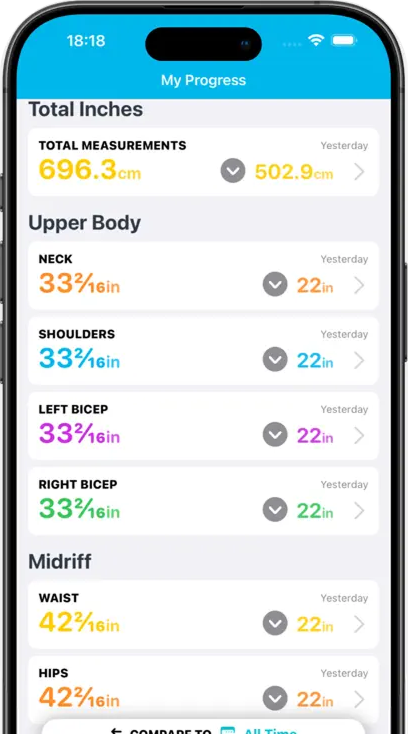
Progress is really a body measurement app that happens to include progress photos. It tracks 17+ measurements: chest, waist, hips, arms, legs, and more. If you want numbers alongside your photos, nothing else comes close.
Key features:
- 17+ body measurement categories
- BMI calculator and body fat percentage tracking
- Fitbit and Apple Health sync
- Progress reports and milestone badges
- Data backup and export
Pros:
- More measurement options than any other app here. Seventeen categories.
- Huge user base. 4.6 stars from over 9,000 reviews.
- Fitbit sync is rare in this category
- Still getting updates. Just added iOS 26 support.
Cons:
- This is a big one: multiple users report that app updates have deleted years of their photo and measurement data
- Features that used to be free are now locked behind a subscription. Some users who paid for lifetime access say those purchases weren't honored.
- Apple Health sync has been reportedly broken for years according to reviews
- Photo comparison has zoom and border issues
- The photo features are basic. No alignment guides, no ghost mode, no comparison slider.
Pricing: Free tier available. Monthly: $3.99–$5.99. Annual: $11.99–$19.99. Lifetime: $29.99.
My take: Progress has the deepest measurement tracking of any app I tested. If you want to log your bicep circumference next to your progress photos, this is it. But the reports of data loss are concerning. Losing years of progress photos to an app update is brutal. And the photo tools themselves are bare-bones. Think of it as a measurement tracker that lets you attach photos, not a photo app that tracks measurements.
4. Hevy - Best All-in-One for Gym-Goers
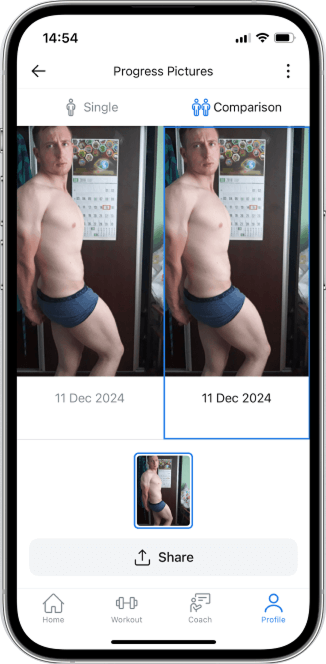
Hevy is a workout tracker first. But it has a built-in progress photo feature, and if you're already logging your lifts there, keeping your photos in the same place makes sense.
It's also the only app on this list with real cross-platform support. iOS, Android, web. Apple Watch live sync. Dynamic Island. Featured by Apple, with over 10 million users.
Key features:
- One progress photo per day alongside body metrics
- Side-by-side photo comparison
- Full workout logging with exercise library and custom routines
- Body weight, body fat, and circumference tracking
- Apple Watch sync with lock screen Live Activity
Pros:
- Everything in one place: workouts, photos, body metrics
- Works on iOS, Android, and web. The only truly cross-platform option here.
- 4.9 stars from over 60,000 reviews. People love this app.
- Generous free tier with no pushy upsells
Cons:
- One photo per day. That's it. No multi-angle shots.
- No ghost overlay, no alignment guides. You're on your own for consistency.
- No time-lapse or video export from your photos
- Apple Watch connection can drop occasionally
Pricing: Free tier includes unlimited workouts and progress photos. Pro: $8.99/month or $59.99/year.
My take: Hevy is not a progress photo app. It's a workout tracker with a photo feature bolted on. And honestly? If you already use Hevy for your gym sessions, that might be enough. You take a photo, compare it to an older one, move on. But without a ghost overlay or alignment guide, your photos will vary in angle and framing every time. For serious progress tracking, I'd pair it with a dedicated photo app.
5. GainFrame - Best for AI Body Analysis
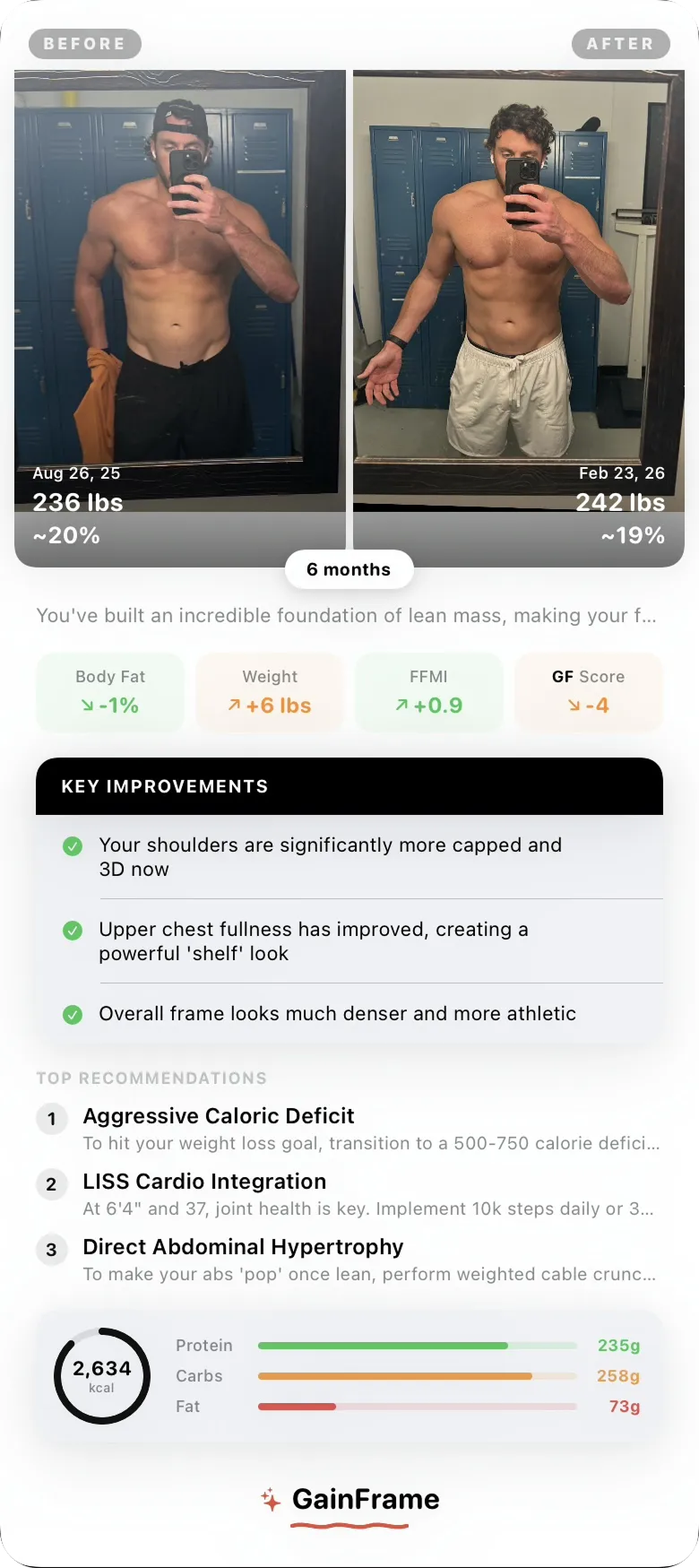
GainFrame does something none of the other apps attempt. It uses AI to analyze your progress photos, estimate your body fat percentage, and score 12 individual muscle groups.
Key features:
- AI body composition analysis from photos
- Body fat percentage estimation
- Scores for 12 individual muscle groups
- Shareable reports with automatic face blur and background removal
- Integrates with Hevy workout data
Pros:
- Only app on this list that does AI-powered body analysis
- The muscle group scoring can reveal imbalances you wouldn't notice yourself
- Auto face blur and background removal for sharing
Cons:
- Still in beta. You need TestFlight to install it.
- No full App Store release yet
- Newer product with limited track record
Pricing: Free during beta. Pricing after launch hasn't been announced.
My take: The muscle-by-muscle breakdown from a photo is a cool idea, and the auto face blur for sharing is a nice touch. But it's beta software on TestFlight. Not something I'd rely on for long-term tracking yet. Worth trying if you're curious, but don't expect polish.
6. Photo Progress - Best for Android Users
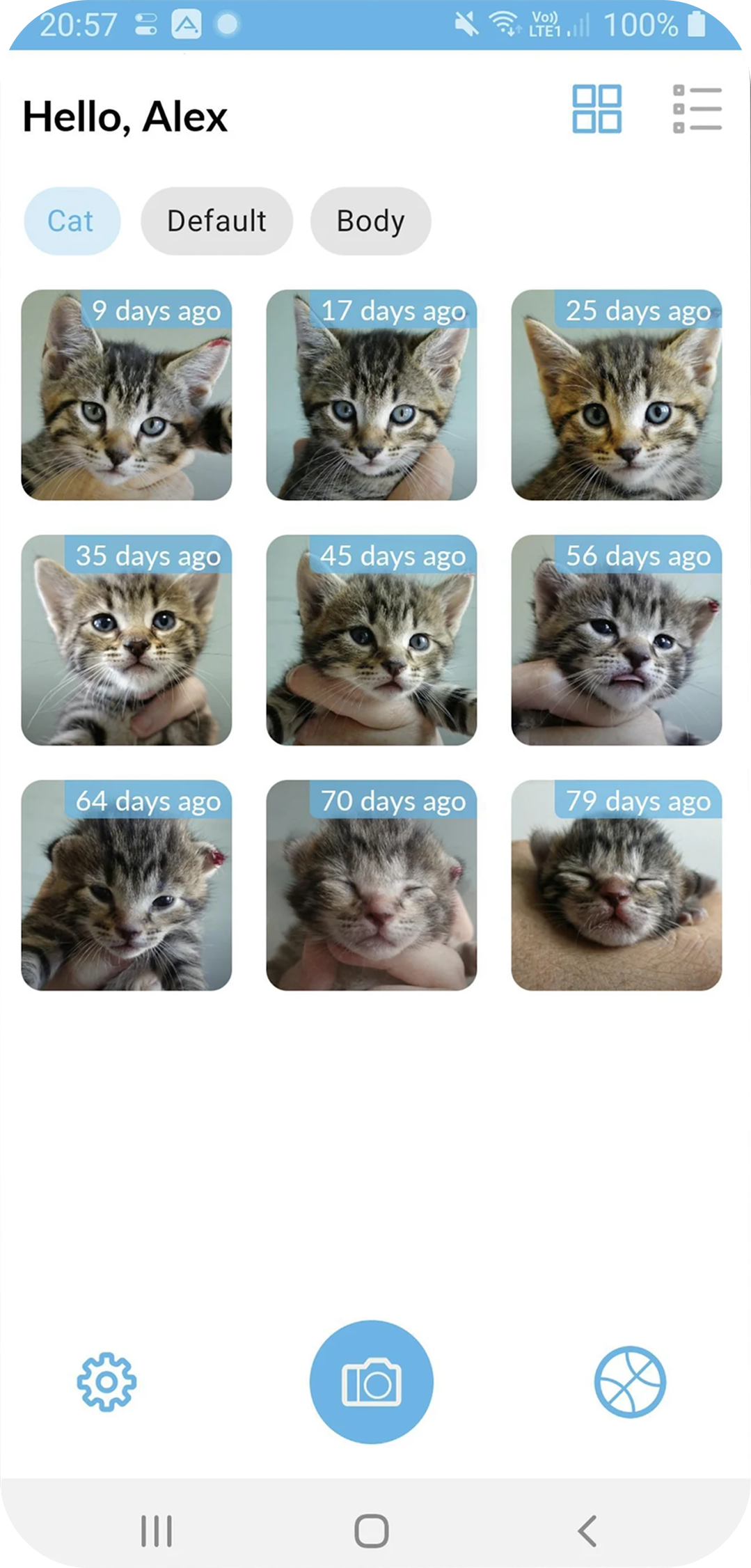
Photo Progress is one of the only dedicated progress photo apps on Android. Most of the good ones are iOS-exclusive, which leaves Android users without many options.
Key features:
- Compare two images with up to 30x zoom
- Fingerprint, face, iris, or password lock
- Import from camera roll, external storage, or Google Drive
- Tag-based organization
- Not limited to fitness. Track pets, plants, home projects, anything visual.
Pros:
- One of the few standalone progress photo apps on Android
- Not fitness-specific. Good for any kind of visual change tracking.
- Multiple biometric lock options
Cons:
- Crashes reported when using tag management and when taking photos through the app
- Last updated June 2024
- No alignment overlays or ghost mode
- Export features limited in the free version
Pricing: Free (ad-supported). Premium upgrade available.
My take: Android users don't have great options in this category. Most of the best apps are iOS-only. Photo Progress fills the gap, but it's rough around the edges. If you're on Android and you primarily lift, Hevy is a better overall experience since it includes progress photos alongside workout tracking. But if you want a standalone photo app and you're on Android, this is basically your only option.
7. Shapez - Best Budget Option
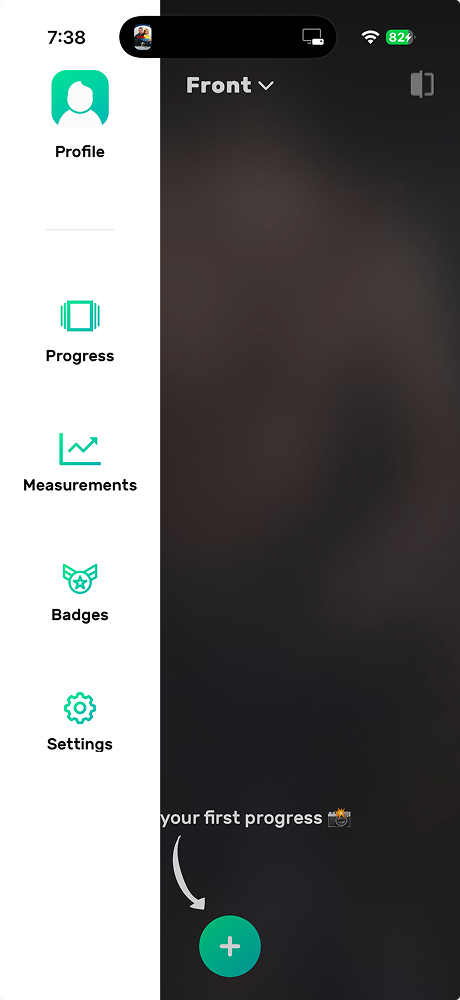
Shapez is a body progress tracker that works on both iOS and Android. The free tier is usable, and if you outgrow it, $3.99 one-time gets you unlimited photos. That's cheaper than one month of most apps on this list.
Key features:
- Track 3 body angles (front, side, back) with ghost overlay
- 11 body measurement points (neck, shoulders, chest, waist, hips, and more)
- Before/after photo comparison
- GIF export of your photo sequence
- Passcode lock for privacy
- AI body fat estimation (premium)
Pros:
- Works on both iOS and Android
- $3.99 one-time for unlimited photos is hard to beat
- 11 measurement points in the free tier
- AI body fat percentage readings on premium
Cons:
- Premium is expensive at $6.99/month or $119 lifetime
- Last update was November 2025
- Free tier limited to 2 progress items
- Smaller user base than some competitors (206 ratings on iOS)
Pricing: Free tier available. Unlimited Photos: $3.99 (one-time). Premium Monthly: $6.99. Annual: $59.99. Lifetime: $119.
My take: Shapez hits a sweet spot for people who want something more than a basic camera but don't want to commit to a $5/month subscription. The $3.99 one-time for unlimited photos is the best value on this list. It also has body measurements and AI body fat estimation, which puts it closer to Progress Body Tracker territory. The main downside is the premium tier pricing. At $6.99/month it's the most expensive subscription here, and the $119 lifetime feels steep. But if you just grab the $3.99 photo unlock and use the free measurement tracking, it's a solid deal.
How I Tested These Apps
Five things I paid attention to:
- Consistency tools. Does the app help me take photos from the same angle every time? Ghost overlays and alignment guides are the features that separate good progress photo apps from camera roll folders.
- Comparison modes. Side-by-side, slider, time-lapse, overlay. What can you do with your photos once you have them?
- Privacy. Where do the photos go? On your device? Their servers? Do you need an account?
- Friction. How fast can I open the app, take a photo, and put my phone down? If it takes more than a minute, I won't do it every week.
- Pricing. Is the free version useful, or does it just exist to show you what you can't do?
I spent a few weeks with each app, taking photos every few days to see how the real workflow felt, not just checking feature boxes.
What to Look for in a Progress Photo App
First, check where your photos go. Some apps store everything locally and sync through iCloud. Others upload to their own servers. These are some of the most personal photos on your phone. Read the privacy policy.
Second, get an app with a ghost overlay. Inconsistent positioning is the number one reason progress photos end up useless. A ghost overlay shows your previous photo while you take a new one so you can match the angle. That single feature is why dedicated progress apps exist.
Then think about comparison modes. Side-by-side? Slider? Time-lapse video? Different modes hit differently depending on what motivates you. I like the slider for weekly check-ins and the timelapse for looking back over a couple months.
And set a reminder. Weekly is plenty. The app that works is the one you open.
Frequently Asked Questions
Are progress photo apps private?
Some are. Apps like Then & Now and Metamorph store photos on your device and sync through iCloud. No third party ever touches them. Other apps may upload photos to external servers. Always check the privacy policy before handing over photos of your body.
How often should you take progress photos?
Weekly works best. Daily photos won't show visible changes and can feel discouraging. Take them on the same day, same time, same lighting. Consistency in how you take the photos matters more than how often.
What's the best way to take consistent progress photos?
Pick one spot in your home with good, consistent light. Natural light near a window is ideal. Wear the same or similar clothes. Stand the same distance from the camera. Then use a ghost overlay feature to match your positioning to the last photo. That's really the whole trick.
Do I need a paid app for progress photos?
Shapez has a usable free tier and Hevy's free tier includes progress photos. They work. But a ghost overlay, proper comparison modes, and measurement tracking make a noticeable difference in consistency and motivation. If you're going to track a transformation over several months, a few dollars a month isn't a lot for something you'll look back on.
Final Verdict
For iOS, Then & Now is my top pick. No ads, unlimited albums, 100 photo imports per week, and the ghost overlay that solves the consistency problem. Everything else on this list either has ads or a more aggressive paywall.
If you want to share your transformation on social media, go with Metamorph. If detailed body measurements are your thing, Progress Body Tracker has the deepest tracking (just keep backups in case of data loss). And if you're on Android, Hevy is the strongest option since it gives you workout tracking and progress photos in one cross-platform app.
Pick one. Set a weekly reminder. The best progress photo app is the one you'll use.
Last tested: March 2026